
📢 kiboNEWS blog
Anbernic RG351P Getting Started Guide

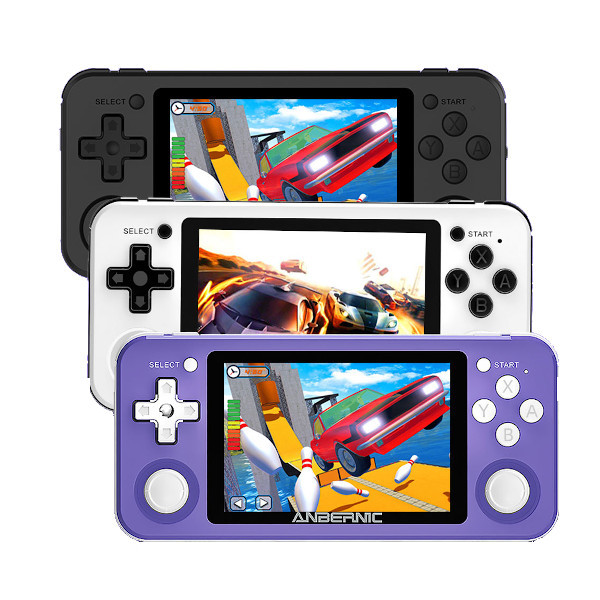
If you're thinking of buying or have already bought the Anbernic RG351P and want to find out about many more features you didn't know it had... stay with us for a little while. This is the starter guide for the TOnbernic RG351P
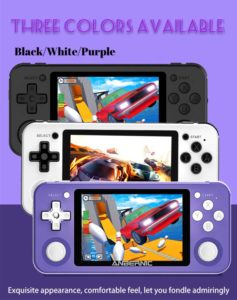 |
 |
This Anbernic RG351P comes equipped with a 641TB SD card capable of holding thousands of games. As you may have heard or read, the RG351P was supposed to have built-in Wi-Fi, but Anbernic removed the Wi-Fi antennas from the consoles due to static noise issues. What does this mean? It means that there are several amazing network features on the console that you won't be able to access.
Fortunately, at kiboTEK, we also sell an OTG adapter with a USB WiFi module that will allow you to connect your Anbernic RG351P to the network and take advantage of its NetPlay functions, download images, access cheats and achievements, and much more.
As a reminder, some of the many simulator systems that work with the RG351P are the Panasonic 3D, Atari 2600, Atari 5200, Atari 7800, PC engine, CD, Nintendo, Famicom, Super Nintendo, Nintendo 64, Master System, Genesis, Sega CD, Sega 32X, Dreamcast, Neo Geo, PlayStation, Game and Watch, Game boy, Game boy Color, Game boy Advance, Nintendo DS, Virtual Boy, Game Gear, Neo geo pocket, PSP, Amiga, Amstrad, Atari, Commodore 64, MSX, Intellivision PC, Skunk, ZX Spectrum, Mame, Final Burn, Neo geo CD, Atomiswave and Naomi.
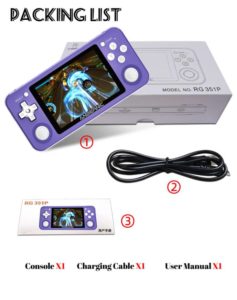 |
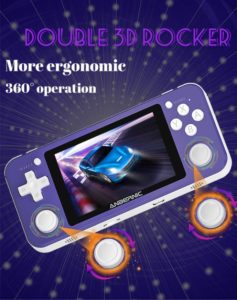 |
We also want to mention that it's a good idea to update your system whenever one is available to ensure you always have the latest firmware and software. If you plan to connect your console to the internet via Wi-Fi, you can download new themes, configure cheats, or even activate and update cheats to finally get past that screen you've been stuck on for hours. You can also update the console's clock. There's certainly much more to learn and discover about this spectacular console, and as we use Sherlock Holmes-style techniques to uncover all its secrets, we'll share them with you. Stay tuned to our website.
We're going to tell you about one of the most interesting things that this RG351P offers: RetroArch hotkeys.
Shortcut keys for Retroarch
One of the most interesting features when you get an Anbernic RG351P is the recognition of the hotkeys, which are, in short, combinations of buttons that will allow you to make various adjustments while you are in RetroArch.
To easily access the RetroArch menu while in a game, you need to simultaneously press the L3 + R3 buttons or in other words, press both sticks.
Once you are inside this menu, you can press “B” to return to the main menu. You can move the cursor to the right to find the settings menu where you have a lot of settings to customize the console to your liking.
If you want to set up hotkeys, within the settings menu you have to scroll down to the inputs section, once inside you have to scroll down until you find the hotkeys section, press "A" again to enter this setting and you're practically done.
There are several hotkeys I recommend you configure, such as fast-forwarding with the "R2" button, loading status with the "L1" button, saving state with the "R1" button, and displaying the first-person shooter mode with the "Y" button. From this same menu, you can access functions to change screen settings, audio settings, on-screen controls, network gaming settings, and many more system tools, in addition to a host of options that will make your life much easier with the Anbernic RG351P.
Purchase link
https://www.kibotek.com/producto/anbernic-rg351p-consola-retro-portable-odroid-go-advance-clone/